
 Tiếng Việt

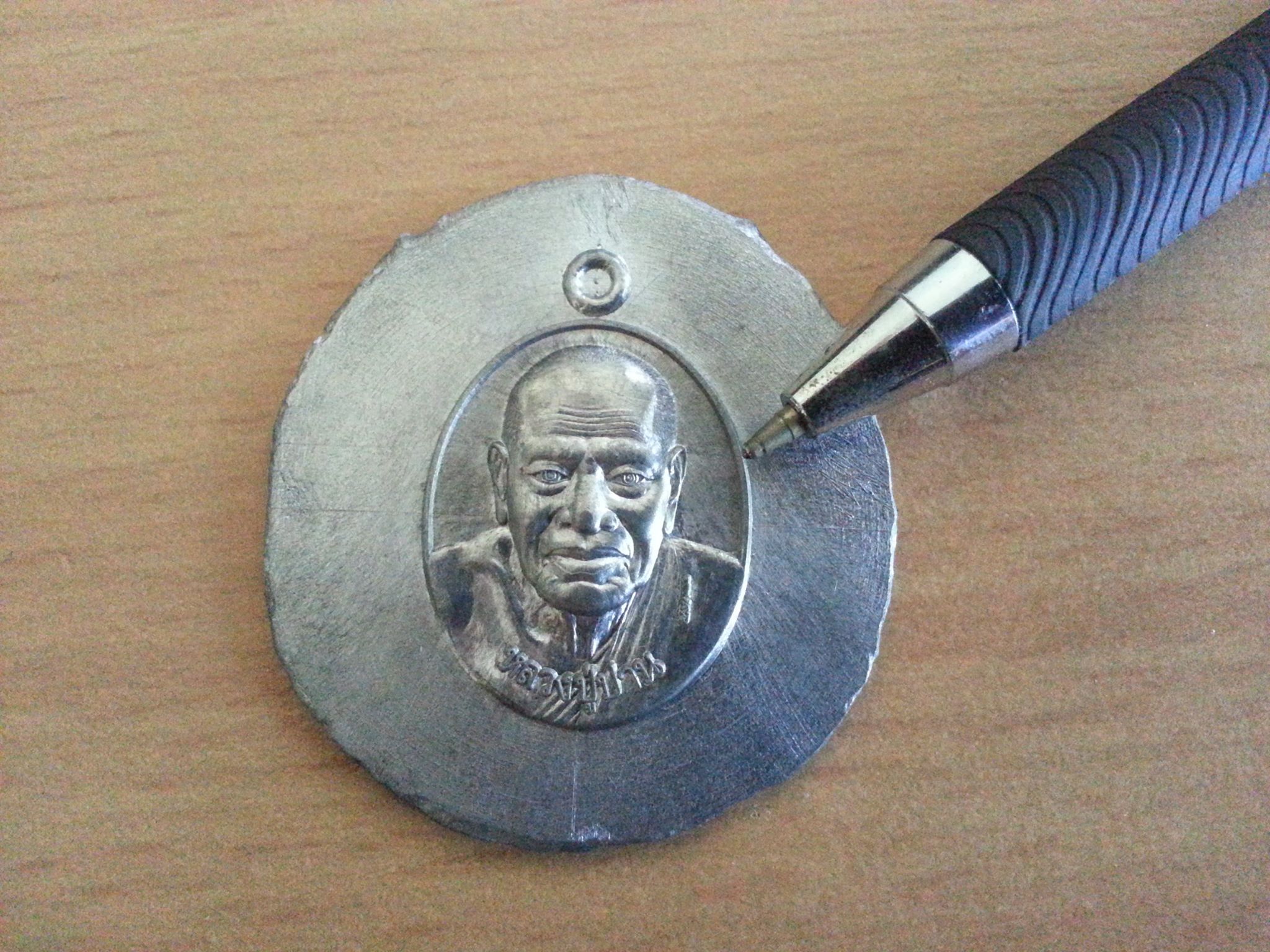
3D scanning is the process of capturing the shape, dimensions, color and more of a physical object to create computer data. That data supports archiving, 3D printing, wood CNC, metal CNC, mold programming, redesign, reverse engineering and more.
3D scanning | Small parts are harder.
 With small parts, 3D scanning is harder. Because the part is so small, you need a 3D scanner with high enough resolution to capture complete, sharp data.
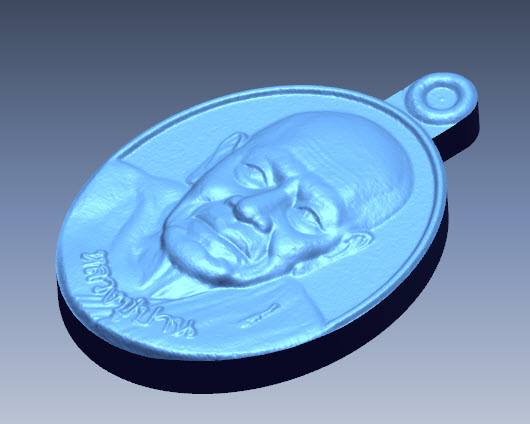
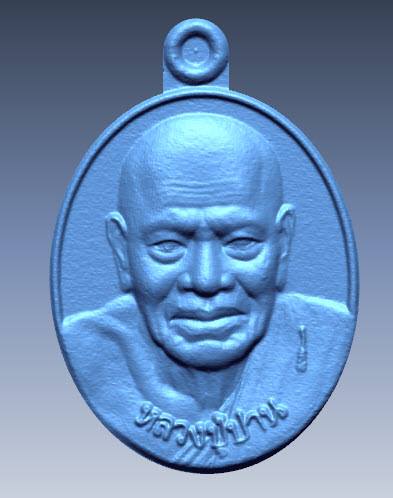 To check the resolution of a 3D scanner, test it on small or very small parts: coins, rings, dental pieces and so on. The data produced after the polygon step will show everything.
Nguyen Van Cuong
Zalo/ Viber/ Skype: 0975 008 728
Hands-On With the Optimscan 5M 3D Scanner
Contact CT3D Group
CT3D Group – professional 3D printing, 3D scanning, design and rapid prototyping services nationwide.
- CT3D Thu Duc – Ho Chi Minh City, Hanoi, Hai Phong: in3d.edu.vn – Hotline 0975 008 728 (Mr. Thai)
- CT3D District 6 – Ho Chi Minh City: 3dmaker.vn – Hotline 038 7798308 (Mr. Phuc)
Accuracy vs. resolution: two terms people often confuse
When people research 3D scanners, many treat accuracy and resolution as the same thing. In fact they are two different specs, and you need to judge each one separately:
| Spec | Meaning | Practical effect |
|---|---|---|
| Resolution (point distance) | The spacing between data points on the surface | Decides whether small details like engraved text, textures and thin edges show up clearly |
| Accuracy | How far measured dimensions deviate from the real ones | Decides whether the data can be used for inspection and fit checks |
| Volumetric accuracy | Error that builds up when scanning large objects, usually given per length | Important for long or large objects that need many merged scans |
A scanner can produce very sharp images (high resolution) while the overall dimensions are still off, and the reverse is also true. For jewelry, coins or dental models, both specs need to be high. For large mechanical parts, volumetric accuracy usually matters more than surface sharpness.
Tips for scanning small parts
Small objects are a real test for a scanner because every error shows clearly in the data. A few tips for good results:
- Pick the right equipment: a scanner with a small field of view and small point spacing, or a scanner built for dental or jewelry work.
- Apply a thin, even coat of powder: too thick a coat hides detail and throws off dimensions.
- Fixture the part firmly: use modeling clay or a small fixture so the part does not shake or shift on the turntable.
- Scan at many tilted angles: this captures data inside grooves, small holes and on the underside.
- Don’t over-smooth: strong filters round off sharp edges and blur fine engraving.
For small parts that need high detail, such as jewelry, electronic components or casting patterns, a high-accuracy 3D scanning service gets you data that meets spec without investing in specialized equipment. Contact CT3D at Hotline/Zalo 0975 008 728.
Frequently asked questions
How can I check whether a 3D scanner is really accurate?
The simple way is to scan a reference object with known dimensions, such as a calibration sphere, gauge block or a part measured on a CMM, and compare the results. Scan it several times to judge repeatability too. Test with an object close in size to the real parts you need to scan.
Do rings and jewelry need powder coating before 3D scanning?
Usually yes, because polished precious metal is highly reflective and clear gemstones keep the scanner from capturing the surface. Use a dedicated scanning spray in a very thin coat so the dimensions stay correct. Wax models or opaque resin prints can often be scanned directly without coating.
Can a scan of a small part be 3D printed back at the exact size?
Yes, if the scan data is accurate and the printer has suitable resolution, usually a resin printer for small detail. Keep in mind material shrinkage and the printer’s own tolerance. For parts that must fit together, print a test piece and adjust before printing in quantity.
Why does my scan data lose sharp edges?
It is usually because the scan resolution is not fine enough, the powder coat is too thick, or the smoothing filter in the software is too strong. Sharp edges are also hard to capture because light hits them at a very steep angle. Adding scans aimed straight at the edges and reducing smoothing helps a lot.
Related services at CT3D Group
- 3D scanning service – high-accuracy 3D scanning
- Custom 3D printing service
- Custom 3D design service
- CT3D Group network: ct3dgroup.com · in3d.edu.vn – Hotline/Zalo 0975 008 728

