
 Tiếng Việt

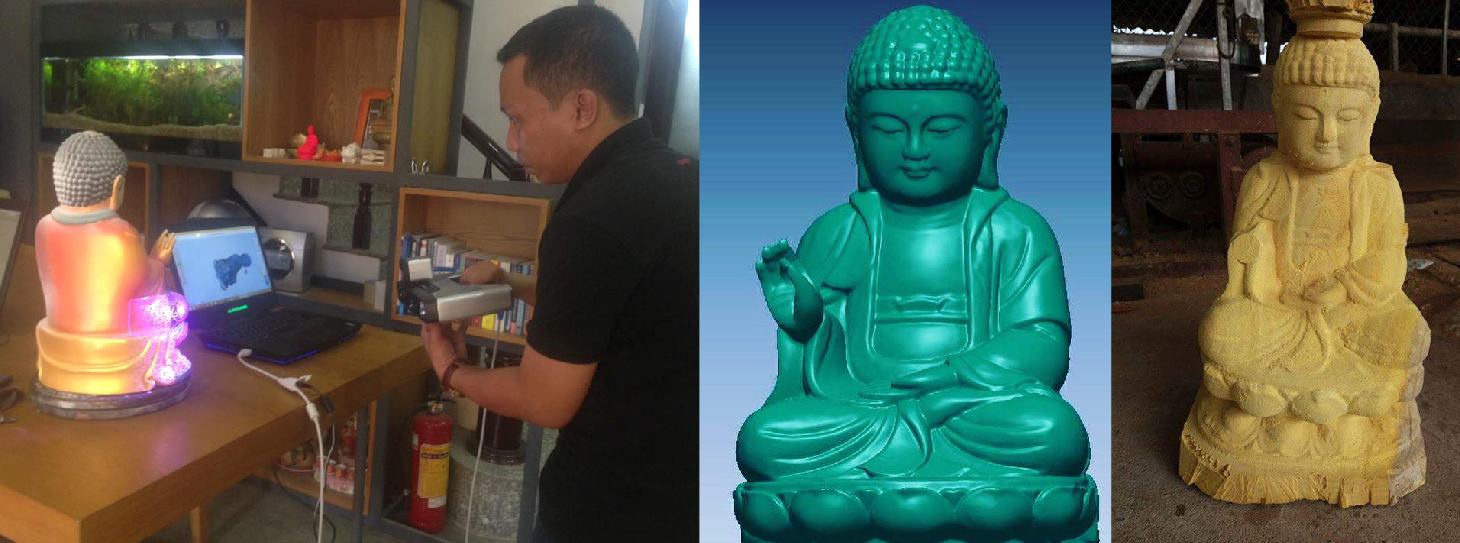
An overview of the Einscan Pro Plus 3D scanner, a multi-function 3D scanner developed by Shining3D. Made in China, it is fairly affordable and can be used for many different kinds of work. 3D scanners have now become ….
Handheld 3D scanning:
The Einscan Pro Plus can scan handheld in 2 modes:- Handheld structured light mode.
- Handheld laser mode.
- Internal links: Ba Ria interiors – Vung Tau interiors
- 3D printing service Ho Chi Minh City – Large-format 3D printers
 Automatic 3D scanning:
When you scan small products that need high accuracy, automatic mode with the tripod is the best choice. You set up the scanner, the turntable and the product on the turntable. You choose the rotation angle and how many turns it takes to finish one product.

Refined color scanning:
The manufacturer recently released software V2.6, which refines full-color scanning with more lifelike results.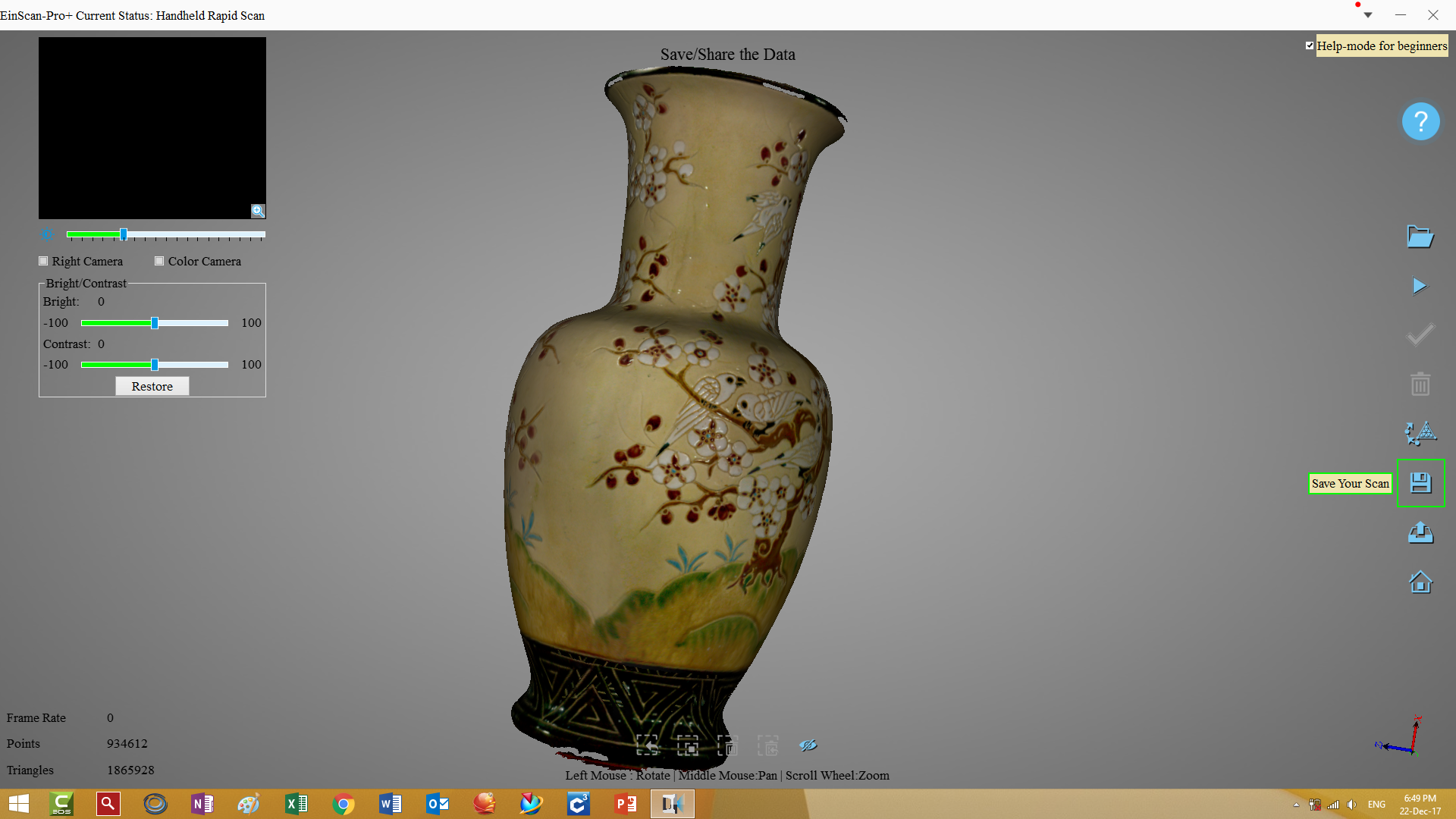
Meets the needs of many industries:
The Einscan Pro Plus is used in many fields: wood furniture, 3D design, mechanical engineering, bronze casting, CNC stone machining, CNC wood carving of statues and panels, and more.


CONTACT FOR A QUOTE
Phone: 0975 008 728
Zalo/Viber: 0985.936.728
Email: contact@ct3dgroup.com (24/7) or 0975 008 728 (Mr. Thai) / 0985 936 728 (Mr. Dang) – contact@ct3dgroup.com
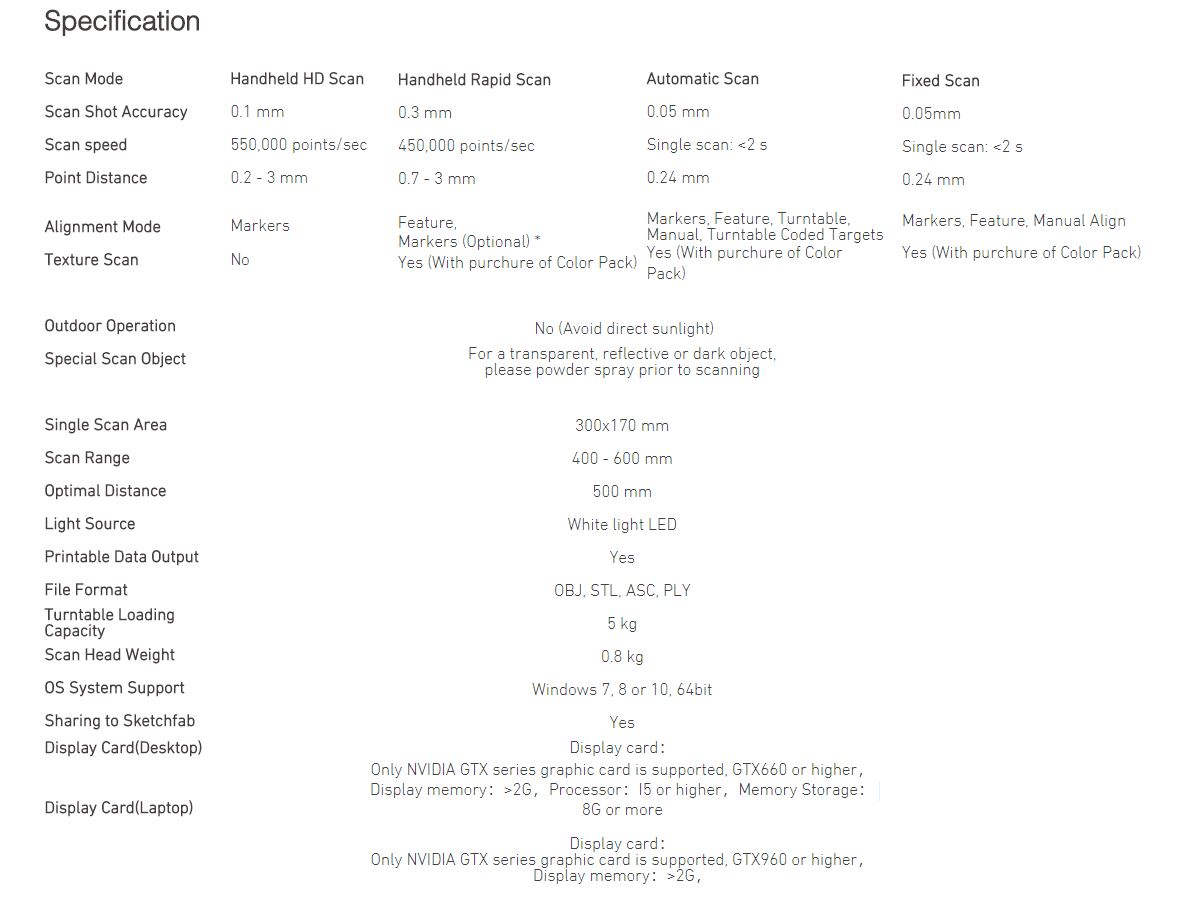
Einscan Pro Plus specifications:
Einscan Pro Plus at work (videos):
CONTACT FOR A QUOTE
We are now recruiting sales dealers nationwide for 3D scanners and 3D printers, backed by leading 3D technology experts at 3D Vietnam. Please contact us directly to discuss.| Roland CNC machine | CMM measuring machine |
| Affordable 3D scanner | Color 3D scanner |
| Automatic 3D scanner | Metal 3D printer |
Contact CT3D Group
CT3D Group – Professional 3D printing, 3D scanning, design and rapid prototyping services nationwide.
- CT3D Thu Duc – Ho Chi Minh City, Hanoi, Hai Phong: in3d.edu.vn – Hotline 0975 008 728 (Mr. Thai)
- CT3D District 6 – Ho Chi Minh City: 3dmaker.vn – Hotline 038 7798308 (Mr. Phuc)
Choosing the right mode on a multi-function 3D scanner
Multi-function 3D scanners usually combine handheld scanning with fixed scanning on a tripod and turntable. Picking the right mode from the start saves processing time and gives better data:
| Mode | Best for | Notes |
|---|---|---|
| Handheld high detail | Mechanical parts, medium statues, highly detailed areas | Usually needs markers for accurate alignment |
| Handheld rapid | Large objects and smooth curved surfaces such as car bodies, furniture, the human body | Can align by geometry; lower resolution |
| Fixed with turntable | Small objects that need high accuracy: large jewelry, components, dental models | Limits on the size and weight of objects on the table |
| Color scanning | Art pieces, artifacts, models that need to keep their texture | Needs even ambient light; avoid shadows |
From scan to usable data
After scanning, the data goes through several processing steps before it can be used in production. A standard workflow includes:
- Merge and optimize: merge the scan passes and remove noise points, background and the turntable.
- Mesh: turn the point cloud into a closed (watertight) or open triangle mesh, depending on the purpose.
- Edit the mesh: fill holes, apply controlled smoothing and reduce the triangle count to make the file lighter.
- Export: STL/OBJ for 3D printing and CNC; or continue to reverse engineering if you need a CAD file with editable dimensions.
The key point is that scan data only describes the surface as a mesh. In fields like mechanical engineering, casting and mold making, customers usually need solid CAD files to modify the design, assemble and machine precisely. This conversion takes an engineer who understands both the software and how the product works. Check out CT3D’s reverse engineering service from 3D scan data, or call Hotline/Zalo 0975 008 728 for advice.
Frequently asked questions
What is the difference between handheld structured light and handheld laser scanning?
Structured light captures data over wide areas at a time, so it is fast on large surfaces and in many cases needs fewer markers. Laser scanning projects laser lines, is less affected by ambient light and handles dark and shiny surfaces better. Choose the mode based on the surface material and the accuracy you need.
Do I need a high-end computer to run the scanner software?
Yes. Scanning software processes data in real time, so it usually needs a strong CPU, plenty of RAM and a dedicated graphics card. A weak computer tends to lag, drop frames while scanning or freeze when merging large data sets. Check the manufacturer’s recommended specs before buying.
Does color scanning affect geometric accuracy?
Usually not by much, because color is captured separately and mapped onto the surface after the geometry is calculated. However, color scanning makes files heavier and needs even lighting for true colors. If you only need the shape for machining, turn color off to scan faster.
How often should a 3D scanner be recalibrated?
Calibrate when you first start using it, after moving the scanner, when the ambient temperature changes a lot, or when merged data looks misaligned. Many users calibrate weekly or before important projects. Keep the calibration board clean and free of scratches.
Related services at CT3D Group
- 3D scanning service – high-accuracy 3D scanning
- On-demand 3D printing service
- Custom 3D design service
- CT3D Group network: ct3dgroup.com · in3d.edu.vn – Hotline/Zalo 0975 008 728

