
 Tiếng Việt


Licensed, easy-to-use reverse engineering software;
REVERSE ENGINEERING SOFTWARE (RE SOFTWARE)
-
Rapidform XOR3 software.
* Create parametric CAD models from scanned point cloud data
Rapidform XO Redesign (XOR) lets designers recover the design intent and design parameters of real-world parts, which may have lost their feature definitions during manufacturing or never had a CAD model. 3D scanning together with XOR lets manufacturers capture the design parameters of almost any real-world part quickly and easily, including cylindrical features and freeform surfaces. Because the CAD models created in XOR are fully parametric, designers and analysts can edit the part’s design parameters to complete the product model in XOR or in their downstream CAD system. Learn SolidWorks in Ho Chi Minh City | Learn SolidWorks in Thu Duc – Learn SolidWorks in District 5 – Learn SolidWorks in District 10 – XOR has smart tools for extracting design parameters from 3D scan data: Redesign Assistant TM – Redesign within user-defined deviation tolerances: Accuracy Analyzer. – Smart recognition and alignment of 3D scan data to the design coordinate system: Align WizardTM – Shorter design time by using 3D scan data as the design basis – Output data with full modeling history for CAD, CAM, CAE systems… – Management of modeling history and model parameters – Remodeling functions for mesh models, freeform surfaces and parametric solids. – Solid and surface modeling with standard features such as Extrude, Round, Revolve, Sweep and Loft. – Update existing CAD models to reflect changes in the part: CAD-to-Scan Refit.* XOR’s advantages for 3D scanning
– The design tools used to build models in XOR are similar to those in other CAD applications. Designers who work with SolidWorks, CATIA, Pro/Engineer or Unigraphics can start modeling in XOR right away. XOR’s features and built-in 3D scanning support let designers use 3D scan data as the basis for design, which improves the quality of the product CAD model. Learn SolidWorks in Ho Chi Minh City | Learn SolidWorks in Thu Duc – Learn SolidWorks in District 5 – Learn SolidWorks in District 10 + A smart design workflow that doesn’t require scanning the whole part. + Create high-quality CAD models from incomplete scan data. + Save processing time by removing polygon meshes and noisy surfaces. + Models can be edited in both Rapidform XO Redesign and the major CAD systems. Most searched keywords: teach yourself SolidWorks 2017 teach yourself SolidWorks 2018 online SolidWorks course for beginners SolidWorks crash course learn SolidWorks in Thu Duc SolidWorks design classes in Hanoi learn SolidWorks in Bien Hoa learn SolidWorks in Binh Duong where to learn SolidWorks in Ho Chi Minh City learn SolidWorks in Vung Tau SolidWorks course at SPKT SolidWorks crash course learn SolidWorks in Bien Hoa learn SolidWorks at home (hoccokhi) learn SolidWorks at Bach Khoa learn SolidWorks in Thu Duc online SolidWorks course for beginners SolidWorks design classes in Hanoi learn SolidWorks at Bach Khoa learn SolidWorks in Binh Duong SolidWorks crash course how long it takes to learn SolidWorks learn SolidWorks at home learn SolidWorks where to learn SolidWorks in Ho Chi Minh City learn SolidWorks in Thu Duc online SolidWorks course for beginners SolidWorks Associate solidworks edu vn learn SolidWorks in District 10 learn SolidWorks at Bach Khoa SolidWorks training center, learn SolidWorks in Thu Duc, learn SolidWorks in Ho Chi Minh City* The most complete scan-to-CAD software solution
Rapidform XO Redesign is a new, complete software solution that offers a new approach, with batch processing, for building parametric CAD models from scan data. XOR conveniently creates high-quality models for rapid prototyping, CNC machining and CAE, and exports to other CAD applications for editing. – End-to-end design functions from mesh data to CAD model. – Supports every reverse engineering workflow, whether recovering design intent (extracting design parameters) or creating an exact copy. – Optimizes mesh data for RP, CAM, CAE and virtual development. – Highly sophisticated modeling that still uses familiar solid and surface modeling features. – Mesh refinement tools to create high-quality meshes. – Easy, fast transfer to design inspection and analysis applications. – Automatic remeshing to create functional CAE models: Scan-to-CAE. – Mesh: In Mesh mode, you can fill incomplete areas of mesh data with the Heal Wizard tool. Fix Normals, Fill Holes, smooth surfaces with Smooth, reduce mesh points with Decimate, smooth all data with Enhance, optimize the mesh with Optimize Mesh, and use other tools. You can edit boundaries and regenerate triangle meshes for FEM, RP or machining. XOR has many more functions to create complete data. It lets you refine the mesh surface and optimize the mesh before turning it into a solid or surface. – Region group: In Region group mode, you can segment the data. Regions are grouped by analyzing the surface of the mesh data, and they are used to create faces, reference geometry and so on. – Point cloud: Import point clouds, edit them (sampling, point reduction, noise filtering, smoothing), offset, create meshes,… – Mesh Sketch: In Mesh Sketch mode, you can extract feature information and create sketches from sections of the mesh data. These sketches are used to create the part’s solids or surfaces. – Sketch: In Sketch Mode, you can draw lines, arcs, curves and fillets without new data. Sketch can be used like the CAD module of other software. – 3D Mesh Sketch: In 3D Mesh Sketch mode, you can draw 3D curves in space, extract part elements or create intersection curves between objects. These curves can be used to build faces or solids.Workflow for using Rapidform XOR to process scan data and build a CAD model
The general workflow (see figure 8.2) goes through these basic steps: 1) Import data as point clouds or STL models. Merge data regions when needed 2) Process the data (sampling and point reduction, filtering, smoothing), segment it, and register the regions precisely 3) CAD modeling. Depending on the end goal, there are two cases: a- Optimize the mesh and model it to export a suitable STL model for RP, CAM and CAE applications b- Extract feature curves from the mesh model, then build a surface or solid model as required using Rapidform’s CAD functions. CAD modeling is supported by an analysis and accuracy-checking tool (Accuracy Analyzer). XOR3 was acquired and is now Geomagic Design X.SOME OF 3D VIETNAM’S REVERSE ENGINEERING PROJECTS:

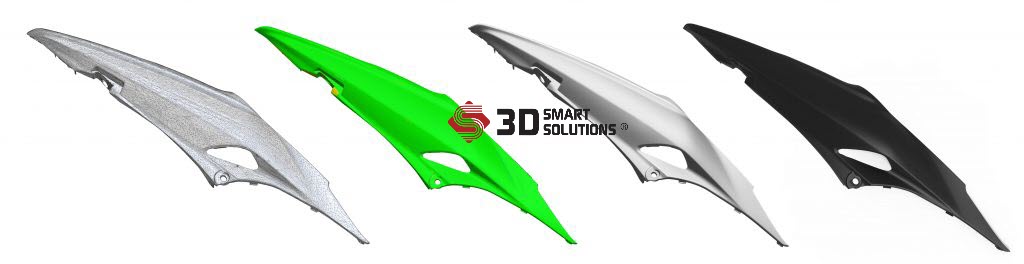
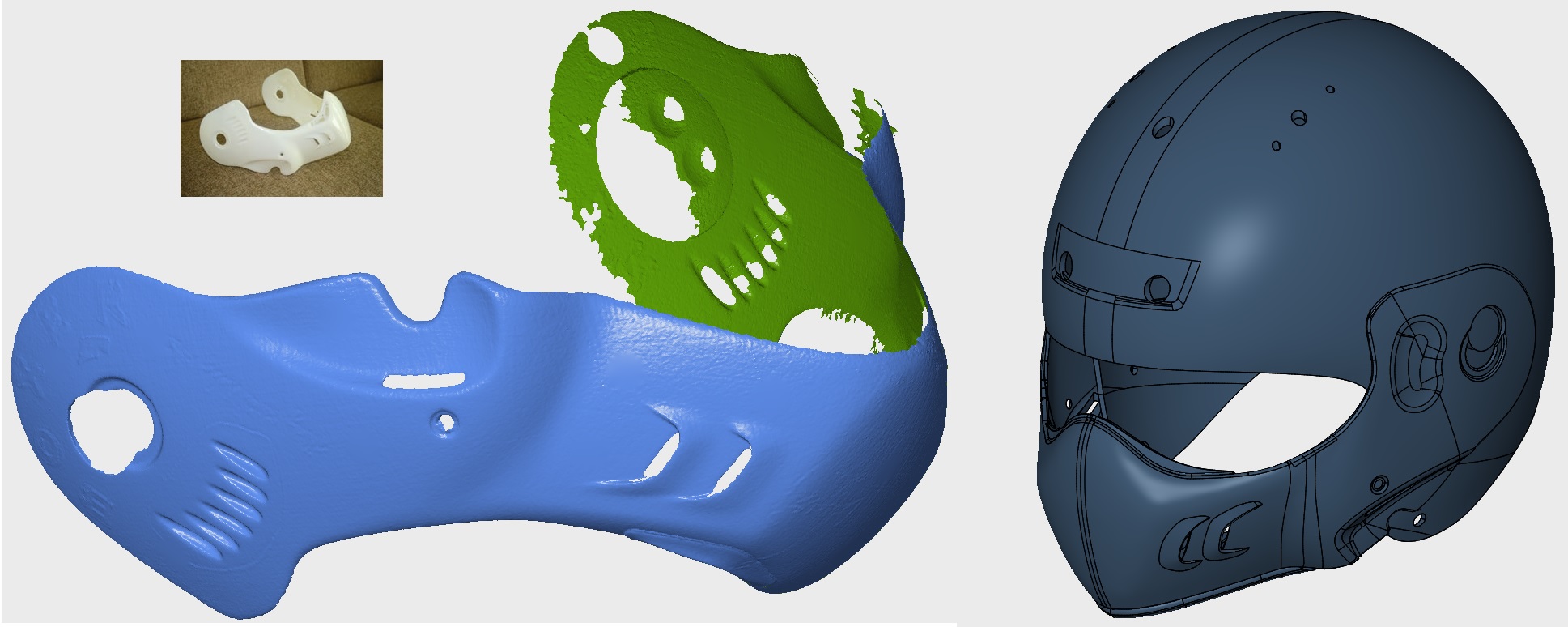
- Step 1: 3D scan the sample –> STL file data. Using the Optimscan 5M 3D scanner.
- Step 2: Build CAD (solid) data on top of the STL –> STP, X_T, STEP… data (as needed). Using dedicated reverse engineering software.
- Step 3: To be sure, check the result with 3D inspection software by overlaying the CAD and STL files.
TECHNICAL SUPPORT
Phone: 0975 008 728 | Email: contact@ct3dgroup.com
Zalo/ Viber: 0975 008 728
3D printing3D printersAffordable 3D printers3D scanners3D scanning machinesSLA 3D printingFDM 3D printers3D printing services3D scanning3D scanning services
-
Geomagic Design X software.
-
Solid Edge ST10 software – Siemens.
-
Xtract3D software (SolidWorks add-in).

STRENGTHS OF REVERSE ENGINEERING SOFTWARE:
-
Rapidform XOR3 reverse engineering software.
-
Geomagic Design X reverse engineering software.
-
Solid Edge ST10 software – Siemens.
-
Xtract3D software (SolidWorks add-in).
WEAKNESSES OF REVERSE ENGINEERING SOFTWARE:
-
-
Rapidform XOR3 reverse engineering software.
-
Geomagic Design X reverse engineering software.
-
-
Solid Edge ST10 software – Siemens.
-
Xtract3D software (SolidWorks add-in).
REQUEST A QUOTE:
- 0975 008 728 (Mr. Thai) / 0985 936 728 (Mr. Dang) – contact@ct3dgroup.com
Contact CT3D Group
CT3D Group – professional 3D printing, 3D scanning, design and rapid prototyping services nationwide.
- CT3D Thu Duc – Ho Chi Minh City, Hanoi, Hai Phong: in3d.edu.vn – Hotline 0975 008 728 (Mr. Thai)
- CT3D District 6 – Ho Chi Minh City: 3dmaker.vn – Hotline 038 7798308 (Mr. Phuc)
Frequently asked questions
How is reverse engineering software different from regular CAD software?
Reverse engineering software works directly on 3D scan data such as point clouds and triangle meshes, with tools that recognize planes, cylinders and curved surfaces to rebuild the model. Regular CAD software mainly builds geometry from sketches and dimensions the designer enters.
Can reverse engineering be done directly in SolidWorks?
Yes. SolidWorks can import meshes and use reverse engineering add-ins to build models on top of scan data. For complex parts or large data sets, though, dedicated software is usually faster and more accurate.
How do you check that a reverse engineered model matches the real part?
The common method is to compare the CAD model with the original scan data and show a color map of deviation across the whole surface. This check shows which areas are out of tolerance so they can be fixed before production.
Can incomplete scan data be reverse engineered?
Yes. Many programs let you build a model from representative data regions without scanning the whole part. The engineer uses symmetry and datum faces to complete the missing areas.
What if a company has no reverse engineering engineers?
The company can hire a 3D scanning and reverse engineering service per project instead of investing in software and training staff. This works well when the need is occasional or a complex part has to be handled urgently.
Related services at CT3D Group
- Reverse engineering services
- Custom 3D design services
- On-demand 3D printing services
- CT3D Group network: ct3dgroup.com · in3d.edu.vn – Hotline/Zalo 0975 008 728

