
 Tiếng Việt


A competitively priced automatic 3D scanner line. After attending the launch event at Shining 3D’s new office in Stuttgart, Germany, I got to see two models in person, the EinScan SE and the EinScan SP; ….
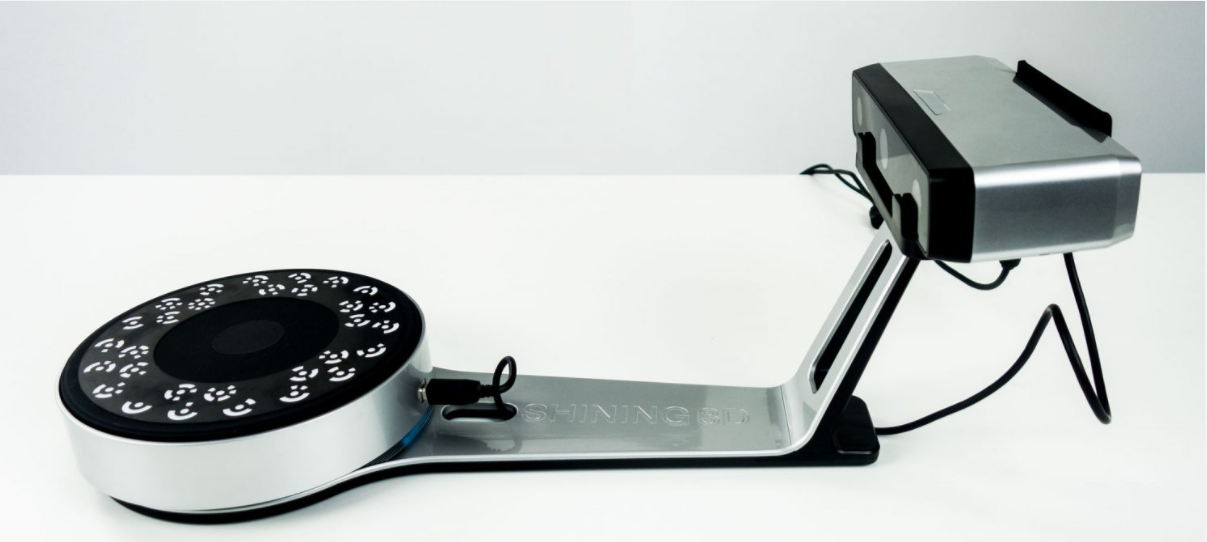
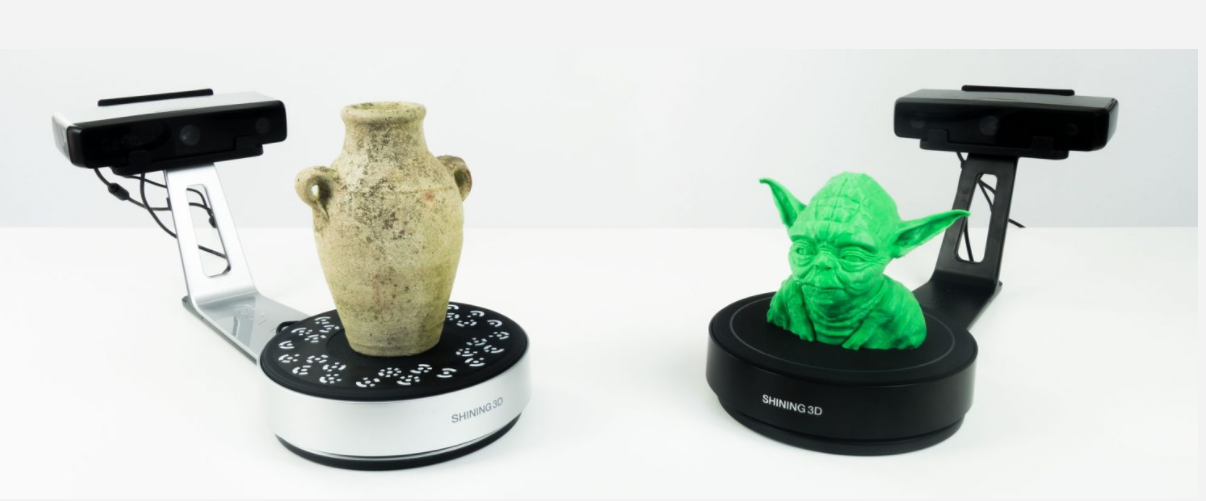 EinScan SP: white
EinScan SE: black.
EinScan SP: white
EinScan SE: black.
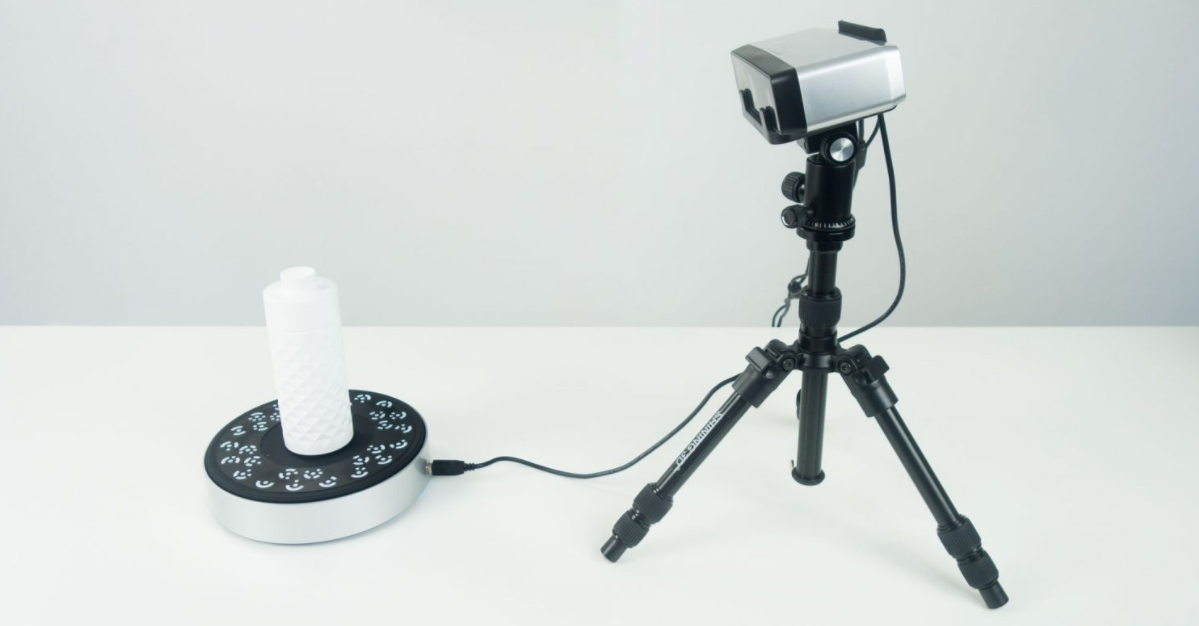 The EinScan SP can work on its own with a tripod and handle objects as large as 1.2 meters.
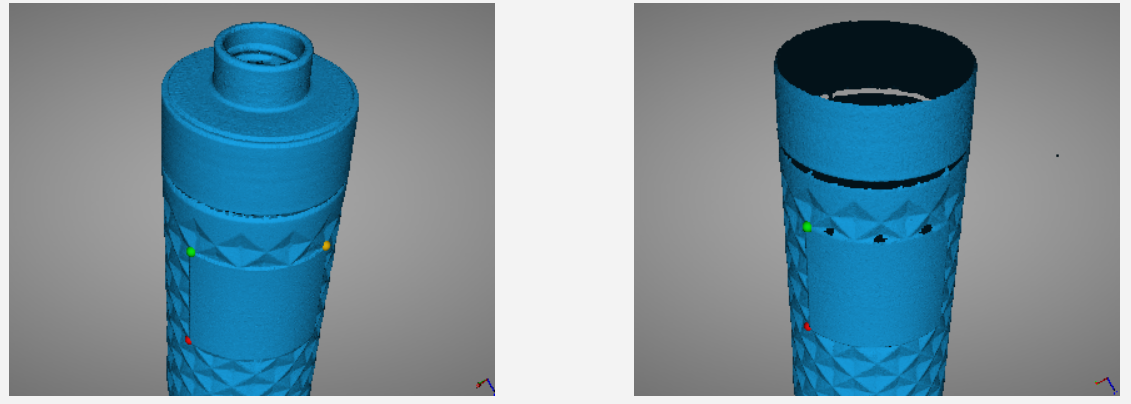
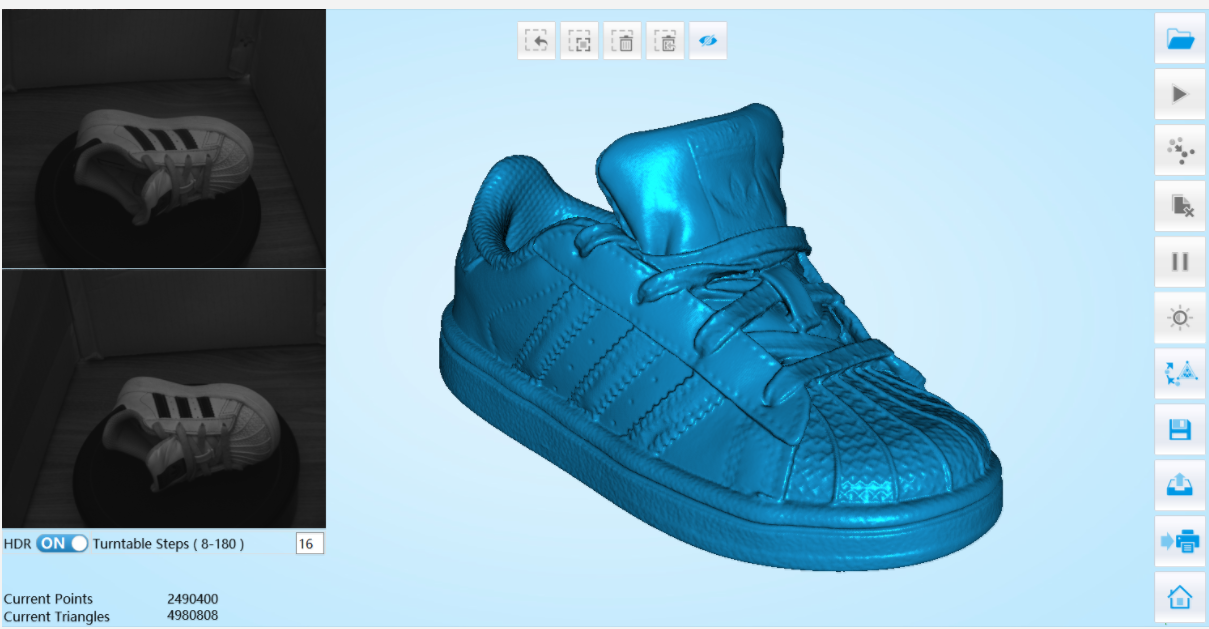 What stands out about the EinScan line is that the software is simple to use and shows the object and scan data clearly. This image shows the object after scanning and meshing.
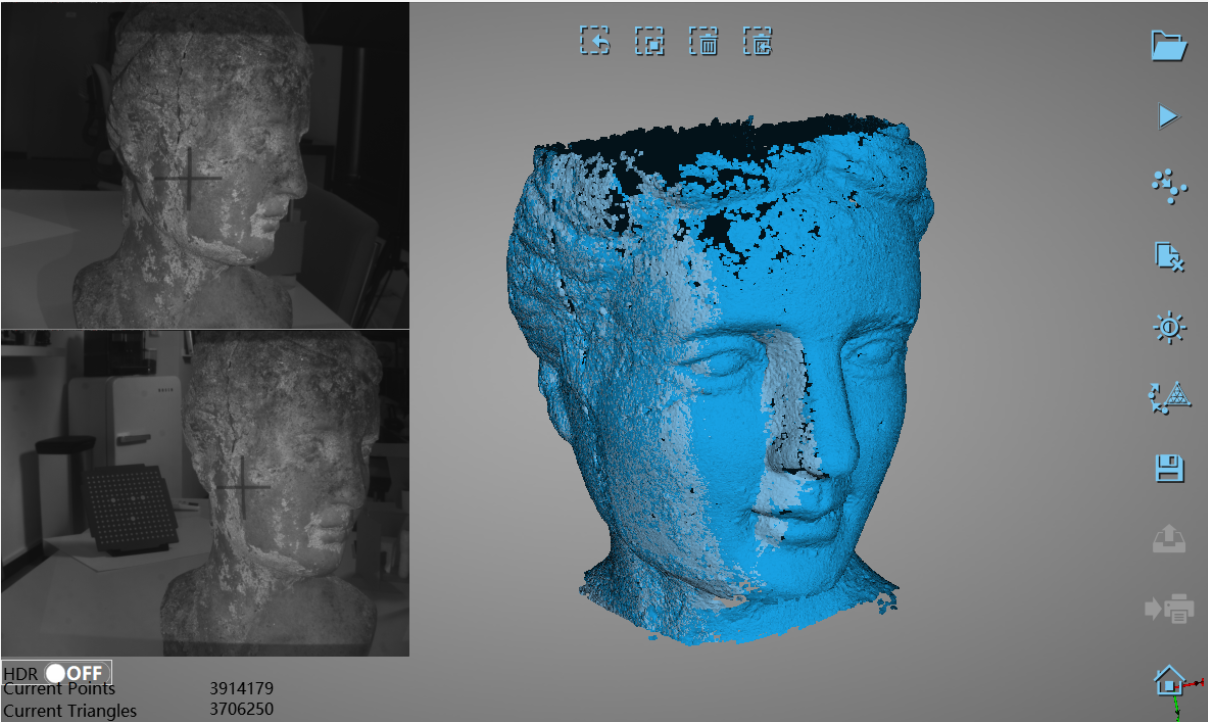 The object as it looks during scanning.
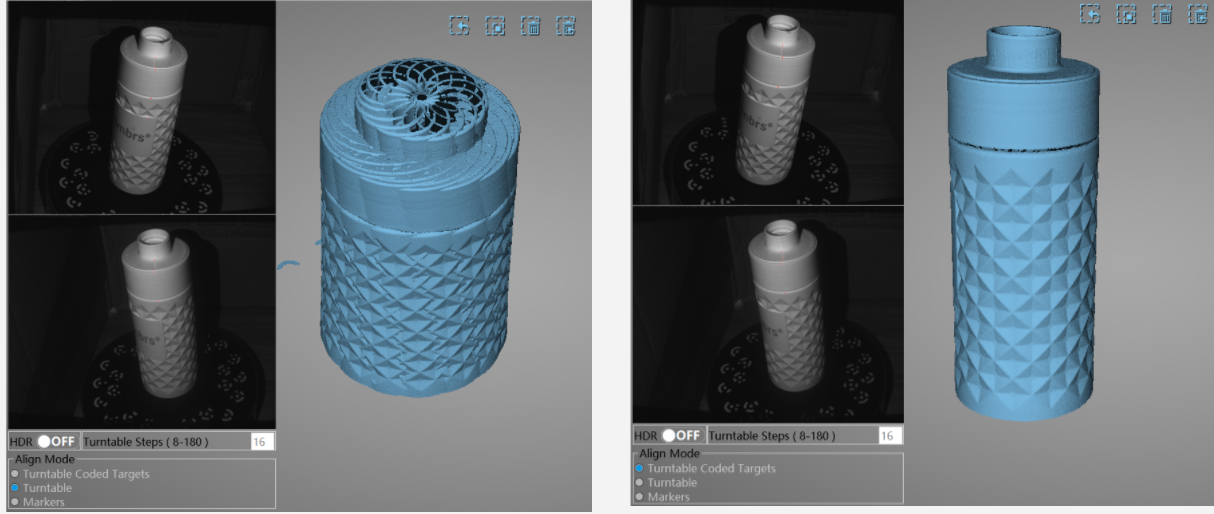 You can choose the quality standard for your object, and check and adjust brightness during the scan.
 Another stand used for scanning small objects.
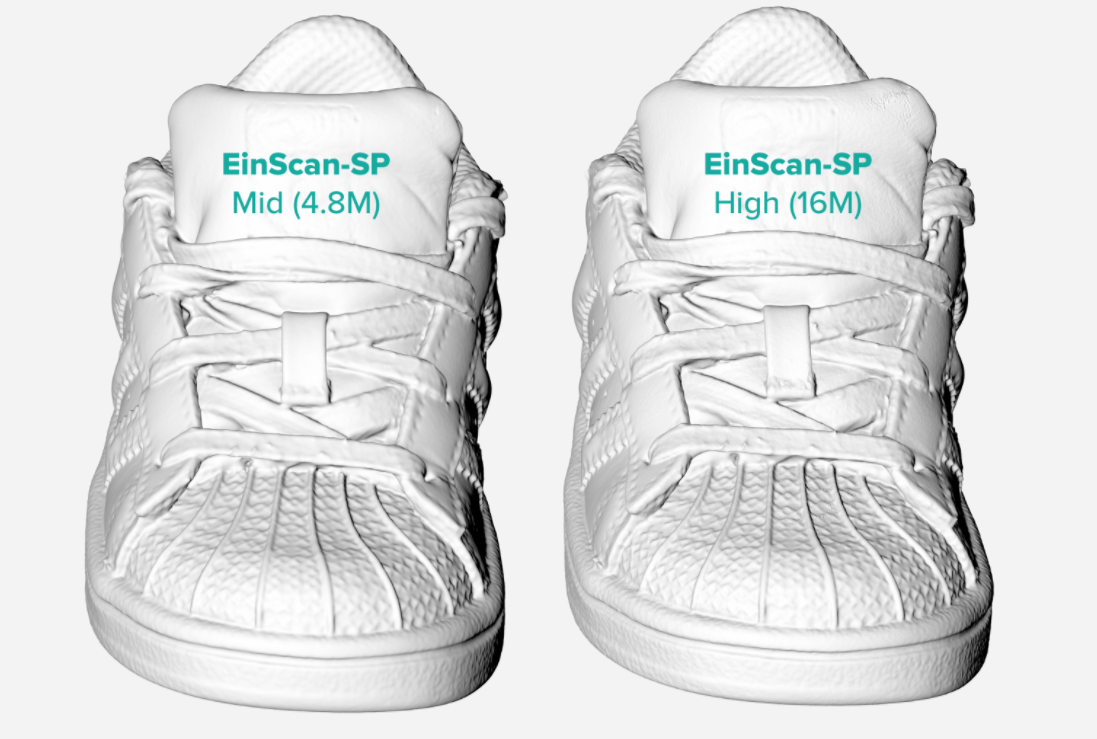
 See more 3D models at: https://sketchfab.com/nicklievendag
Reference article: https://3dscanexpert.com/shining-3d-einscan-se-einscan-sp-review-comparison/
See more 3D models at: https://sketchfab.com/nicklievendag
Reference article: https://3dscanexpert.com/shining-3d-einscan-se-einscan-sp-review-comparison/

CONTACT US FOR A QUOTE
Zalo/Viber: 0985.936.728 – 0975 008 728
Contact: 0975 008 728 (Mr. Thai) / 0985 936 728 (Mr. Dang) – contact@ct3dgroup.com
Latest update:

Contact CT3D Group
CT3D Group – Professional 3D printing, 3D scanning, design and rapid prototyping services nationwide.
- CT3D Thu Duc – Ho Chi Minh City, Hanoi, Hai Phong: in3d.edu.vn – Hotline 0975 008 728 (Mr. Thai)
- CT3D District 6 – Ho Chi Minh City: 3dmaker.vn – Hotline 038 7798308 (Mr. Phuc)
Who is an automatic desktop 3D scanner for?
An automatic desktop 3D scanner, where the scanner stays fixed and the object sits on a turntable, is designed so that even beginners can create a 3D model in just a few steps. These devices usually suit:
- Schools, labs and FabLabs: teaching students about 3D digitizing, combined with 3D printers for projects.
- Designers and artisans: digitizing clay models, small statues and handicrafts to edit and reproduce them.
- Shops and small businesses: creating 3D product models for websites and e-commerce.
- Engineers who need a quick geometric reference: capturing the overall shape of a small part before building the CAD model.
The strengths of these machines are ease of use and automatic scanning. The limits are that object size and accuracy are usually below industrial scanners, so they are not the best choice for tight tolerance inspection.
Tips for good results with automatic turntable scanning
- Control the lighting: avoid direct sunlight and strong lamps on the scan area. Stable lighting gives less noisy data.
- Calibrate regularly: calibrate with the calibration board as instructed, especially after moving the scanner.
- Adjust camera brightness: raise it for dark objects and lower it for light ones to avoid overexposure.
- Scan in several positions: after the first pass, flip the object to scan the bottom and hidden areas, then merge the scans.
- Use a suitable support: for small objects or ones that roll, use modeling clay or a stand to hold them without covering the surfaces you need to scan.
When an object is beyond what a desktop scanner can handle, because it is too large, needs high accuracy or has a hard-to-scan surface, the sensible option is a professional 3D scanning service with equipment suited to each type of product.
Frequently asked questions
What is the difference between a desktop 3D scanner and a handheld scanner?
A desktop scanner stays still and scans the object on a turntable, giving consistent results for small and medium objects. A handheld scanner moves around the object, which is more flexible for large or immovable objects but takes more skill to use.
What is a polygon mesh in 3D scanning software?
Meshing turns the point cloud into a continuous surface made of small triangles. After this step, the data can be exported as STL or OBJ for 3D printing, viewing on a computer or further processing.
Can scan files from a desktop scanner be used for 3D printing?
Yes, after the mesh is made watertight and checked for errors. Statues and decorative pieces can often be printed straight from the scan file. For parts that must fit together, rebuild them in CAD to get accurate dimensions.
Why does scan data have holes or missing faces?
It is usually caused by hidden areas the scanner cannot see, surfaces that are too dark or reflective, or the object shifting during the scan. Extra scans from more angles and surface preparation fix most cases.
How do I get advice on choosing a 3D scanning solution?
Contact CT3D via Hotline/Zalo 0975 008 728 or email contact@ct3dgroup.com. Tell us the type of object and how you plan to use the data, and we will suggest a suitable option.
Related services at CT3D Group
- 3D scanning service – high-accuracy 3D scanning
- Custom 3D printing service
- Custom 3D design service
- CT3D Group network: ct3dgroup.com · in3d.edu.vn – Hotline/Zalo 0975 008 728

