
 Tiếng Việt

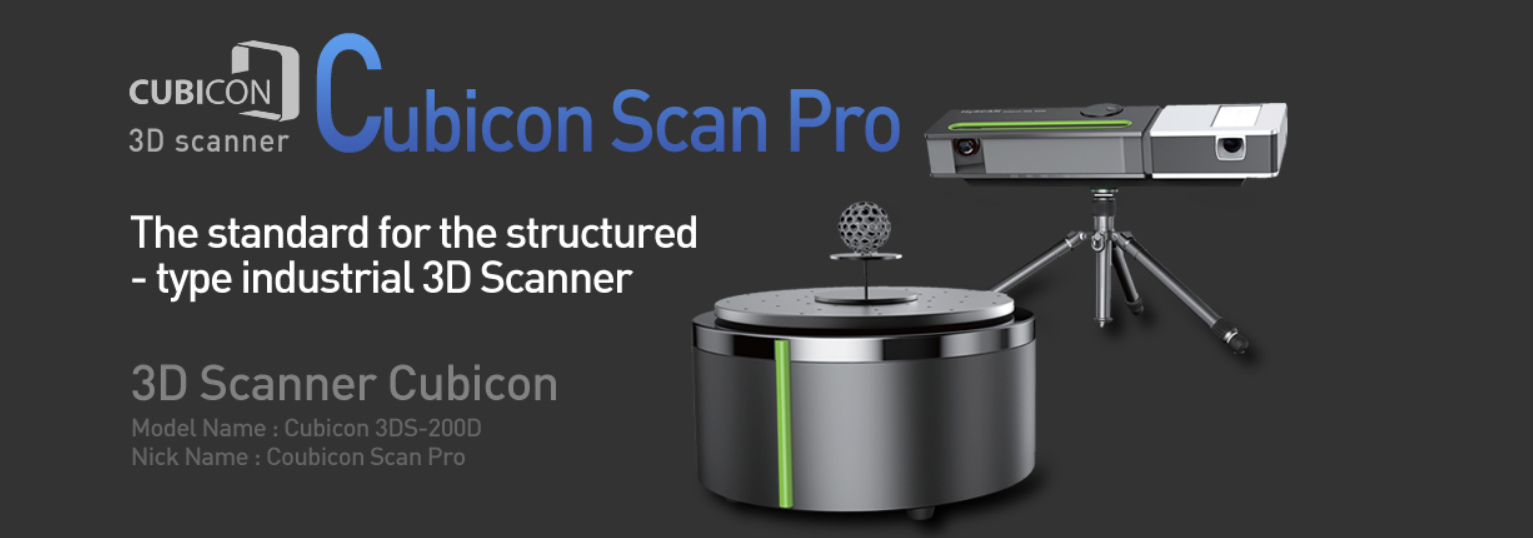
The Cubicon 3D scanner is developed by Hyvision, a major 3D printer maker in South Korea.
TECHNICAL SPECIFICATIONS: |
|
|
Cubicon 3D scanner:
Product features: A professional scanner built entirely on Korean technology, this is a standard model in its class. It matches overseas products priced at around 10,000 USD. On top of that, we have made our scanners much easier to use. Now anyone can scan at the push of a button. We offer high-quality scanning for individual users.

Cubicon 3D scanner:
Easy setup: Our Cubicon Scan Pro 3D scanner has a turntable you can adjust to the size of the object being scanned. You can also set the position of the camera and the tripod. You no longer need to take tedious measurements every time you set up a scan. Auto calibration: Using the checkerboard on the turntable, Cubicon Scan Pro calibrates the projector and camera automatically with one button. There is no need to move a calibration pattern around. Auto scanning: With Cubicon Scan Pro, you can now leave your object in one spot to scan it. The scanner offers a 360-degree scan mode using the turntable. Auto alignment: Cubicon Scan Pro automatically collects the multiple scans taken during a 360-degree scan and merges them. This removes the hassle of aligning them by hand in software. Auto noise removal: Background noise picked up during scanning has a big impact on scan quality. Cubicon Scan Pro filters out this noise automatically, so you get the cleanest scans possible. Focus / Iris setup guide: To help you get the best possible scan quality, Cubicon Scan Pro tells you the optimal focus and iris settings for the camera. You can then scan with the camera in its best state. Scan black objects without spray or 3D scanning powder: Black objects are usually hard to scan. Other manufacturers rely on a scanning spray or powder for them. Cubicon Scan Pro, however, can scan black objects without any extra aids.
Contact CT3D Group
CT3D Group – Professional 3D printing, 3D scanning, design and rapid prototyping services nationwide.
- CT3D Thu Duc – Ho Chi Minh City, Hanoi, Hai Phong: in3d.edu.vn – Hotline 0975 008 728 (Mr. Thai)
- CT3D District 6 – Ho Chi Minh City: 3dmaker.vn – Hotline 038 7798308 (Mr. Phuc)
Frequently asked questions
What kinds of objects suit a 3D scanner with an automatic turntable?
Small and medium objects that sit neatly on the turntable, such as models, small mechanical parts, decorations and toys. Objects larger than the scan area or too heavy for the turntable are better scanned with a handheld scanner.
Why are black objects often hard to 3D scan?
Black surfaces absorb most of the light that hits them, so the scanner camera struggles to pick up the reflected light pattern it needs to calculate coordinates. Scanners with good processing algorithms or adjustable exposure can handle them; otherwise you need a thin coat of scanning powder.
What is 3D scanner calibration for?
Calibration lets the scanner precisely re-establish the relative position of the projector and camera, so the measured data has the correct dimensions. Calibrate after installation, after moving the scanner, or when you notice the data is off or scans don’t align.
Can data from a desktop scanner be used for 3D printing?
Yes. After scanning, the software merges the scans and builds a watertight mesh. Export it as STL or OBJ and load it into your slicer to print. Check and fill any holes in the mesh before printing to avoid errors.
Related services at CT3D Group
- 3D scanning service – high-accuracy 3D scanning
- On-demand 3D printing service
- Custom 3D design service
- CT3D Group network: ct3dgroup.com · in3d.edu.vn – Hotline/Zalo 0975 008 728

