
 Tiếng Việt


A customer brings a mirror-polished stainless steel cover to the shop, sets it on the turntable and asks: “This should be a quick scan, right?” In fact, this is the most time-consuming kind of job. Optical 3D scanners work very well on matte, light-colored surfaces like plaster or white plastic. But with glass, chrome-plated stainless steel, glossy black plastic or lacquered statues, the scanner goes “blind” in patches and the file comes out full of holes like a honeycomb.
This article shares how scanning technicians usually deal with three groups of difficult surfaces: glossy, transparent and black. There is no secret. It is mostly about understanding how the scanner sees an object, then choosing the right surface preparation and equipment.
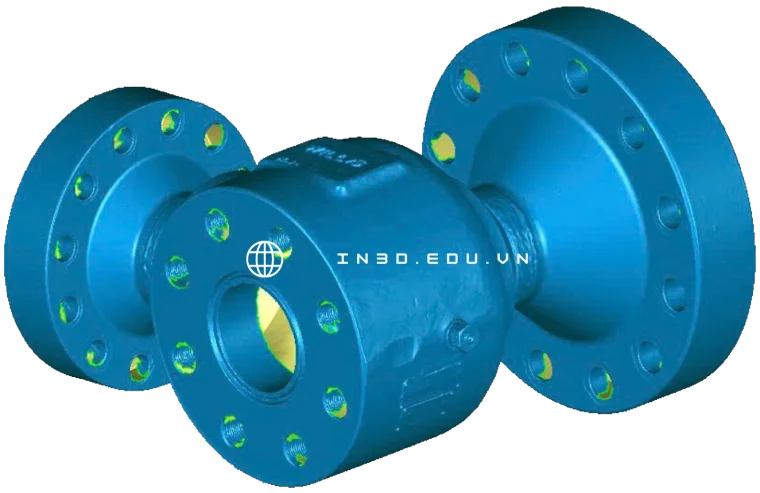
How does a 3D scanner “see” an object?
Most scanners used in prototyping are optical. There are two main types. Structured light scanners project patterned light stripes onto the object, and a camera captures how the pattern bends to calculate the surface shape. Laser scanners project a laser line onto the object, and a camera set at an angle measures the line’s position, using triangulation to calculate distance.
Both types share one requirement: the light hitting the object must scatter evenly back toward the camera. Matte surfaces like paper, raw wood and plaster do this very well. Light hits them and bounces off in every direction, so the camera can see it from anywhere.
Trouble starts when the surface does not “cooperate.”
Glossy surfaces: light bounces elsewhere
A mirror-like surface reflects light in a single direction (specular reflection), just like shining a flashlight into a mirror. If the camera is not in the reflection direction, it gets nothing. If it is, it gets blinded and the image blows out beyond the sensor’s range. Wikipedia’s page on structured-light scanners describes exactly this: reflections can send light away from the camera or straight into the lens, exceeding the camera’s dynamic range.
The result is empty patches or, worse, noisy “spikes” sticking out of the surface, caused by double reflections between two glossy faces close together (for example the inside corner of a stainless steel box).
Transparent surfaces: light passes through
Glass, clear acrylic, clear PC and clear resin have a different problem. Light does not stop at the surface but goes inside, refracts and then reflects off the back face. The camera sees the pattern but at the wrong depth, or sees the front and back faces overlapping. The scanner cannot tell which is the real surface.
Translucent objects such as wax, marble, clear silicone and human skin also show subsurface scattering. Light goes a little way into the material before coming back out, which blurs the light line and shifts the measurement slightly. With wax figures or stone samples, this error can be enough to make small details look soft and lose sharpness.
Black surfaces: light gets swallowed
Black absorbs most light. A laser line on matte black plastic is still visible, but very weak. Black and glossy (glossy black ABS, piano finish, lacquer) combines both problems: little scattered light plus mirror reflection. This is the group that gives scanning technicians the biggest headache.

Method 1: Spray scanning powder to matte the surface
This is the most common and reliable method. The idea is simple: coat the object with a thin matte white layer to turn a difficult surface into an easy one. The scanner sees the coating, and the coating follows the real shape of the object closely.
A few common options:
Vanishing scanning spray. This is a purpose-made product that sprays an even matte white layer and sublimates completely after a few hours, with no wiping needed. The German brand AESUB is a well-known example, with self-vanishing orange, blue and green lines and a long-lasting white line. The big advantage is that it does not leave the object dirty, which suits customer parts, antiques and finished parts. The downsides are a fairly high price per can and a vanishing time that depends on room temperature. In a hot shop the coating fades fast, so you have to scan quickly.
Talc or chalk powder mixed with alcohol. A “homemade” method many shops still use: mix fine talc with isopropyl alcohol and put it in a small spray bottle or mini paint gun. The alcohol evaporates and leaves a white powder layer. It is cheap and easy to find, but the coating is thicker, clumps if the mix is too thick, and must be cleaned off after scanning.
Crack inspection developer spray. The white powder used in NDT penetrant testing. It coats evenly and sticks well, but must be washed off with solvent, so it does not suit painted surfaces or plastics that solvent can attack.
chuyentaomau.com has an older article on 3D scanning accessories, including markers and white spray, if you want to equip yourself.
Spraying tips that protect accuracy
Every coating has thickness. If you spray 50 microns thick, the measured size will be about 50 microns larger per face. Nobody notices on an art statue, but on a mechanical part with tight tolerances it is a big deal. Some tips:
Spray several thin coats instead of one thick coat. Hold the can about 20 to 30 cm away, sweep quickly, let it dry, then spray again. The goal is just enough to kill the gloss. If you can still faintly see the original color, that is fine.
Do not spray too much into threaded holes or narrow slots. Powder builds up in the slot, makes it shallower and loses detail.
For parts that need precise measurement, scan a reference artifact (for example a gauge block or reference sphere) with and without spray to know how thick your coating is. For accuracy in general, our article on 3D scanning accuracy covers the factors in detail, so we will not repeat them here.
Scan right after spraying. With vanishing spray, the thinnest coating at sharp edges disappears first and the edges start to shine again.

Method 2: Apply markers and adjust how you scan
Spraying solves the problem of the scanner not seeing the surface. But with glossy, symmetric objects with few features (a plain round stainless tube, for example), the scanner also gets lost: it does not know where it is on the object to stitch the scans together.
This is when you need markers (reference targets). These are reflective round dots stuck on the object or on the table around it. The scanner uses them as reference points for positioning. A few notes:
Place them randomly, not in straight lines or an even grid. The scanner needs groups of 3 to 4 markers with different spacing to recognize a unique position.
Put them on flat or gently curved areas, and avoid sharp edges or important details, because the software fills the holes where markers were and loses detail there.
For small valuable objects you do not want to stick anything on, place the object on a base plate with markers or use a positioning frame. Our article on 3D scanning paper markers covers the types in detail.
Adjust exposure and scanning angle
Many people skip this step. Newer scanners let you adjust exposure or projector brightness. For matte black objects, raise exposure so the camera picks up the weak light line. For glossy objects, lower exposure so the bright areas do not blow out. Some software also has an HDR mode that captures several exposure levels and merges them, which is very useful for objects with both dark and bright areas.
Scanning angle matters too. On glossy faces, do not project straight at the surface, because that is the strongest specular direction. Tilting the scanner about 15 to 30 degrees usually gives cleaner results. Turn off some ceiling lights and close the curtains, because ambient light also affects structured light scanner accuracy.

Method 3: Pick the right scanner for the surface
Not every scanner handles difficult surfaces the same way.
Blue laser. Handheld laser scanners with multiple blue laser lines usually handle black and glossy objects better than white light scanners. The laser is highly concentrated, the line is thin, and the camera has a filter that only lets that wavelength through, so ambient light causes less noise. For stainless mechanical parts, polished steel molds and black-painted car bodies, a blue laser scanner can often scan without spray or with only a very light coat.
White or blue structured light. Gives fine surface detail at high resolution and is great for statues, handicrafts and small samples. But it is more sensitive to gloss than laser, so you almost always have to spray glossy objects.
Low-cost handheld scanners and phones. Scanning glossy or black objects with an iPhone or a basic handheld scanner gets almost nothing useful. If you are curious, our article on 3D scanning with a phone explains the limits of this approach.
In shops with many scanner types like CT3D, technicians choose the scanner based on the surface and what the file is for. You can see the equipment list and process on the in3d.edu.vn 3D scanning service page.
Method 4: CT scanning for transparent objects or when you need to see inside
Sometimes spraying is not allowed or not enough. For example:
Thick-walled glass cosmetic bottles, where the customer needs both the wall thickness and the inner cavity shape.
Sealed clear plastic assemblies, where you need to see internal gaps without taking them apart.
Antiques and valuable samples that must not have anything applied to the surface.
This is when you use industrial computed tomography (CT). The machine sends X-rays through the object on a turntable, takes hundreds to thousands of images and reconstructs a 3D volume with both the outer surface and the internal structure. CT does not care whether the surface is glossy or clear, only about material density. According to Wikipedia, industrial CT is used to find porosity and cracks, measure internal and external dimensions that a regular CMM cannot reach, analyze assemblies without taking them apart, and create CAD data for reverse engineering.
The limits of CT are a much higher cost than optical scanning, object size limited by the machine chamber, and difficulty penetrating very dense materials (thick metal). When two materials have similar density, the software also struggles to separate them, and segmentation has to be done by hand.
Our article on industrial CT scanning and 3D X-ray inspection gives an overview. For a specific quote, see CT3D’s X-ray CT inspection service.

Four common examples from the shop
Example 1: A glass perfume bottle
The customer needs to remake the bottle mold and only has a real bottle. The usual approach is to spray vanishing powder on the outside to scan the outer shape. If the inner cavity is needed (to calculate volume or wall thickness), switch to CT scanning. A small trick: filling the bottle with water mixed with white pigment or fine sand before scanning the outside also reduces reflections from the inner surface, but this only gives the outer surface, not the wall thickness.
Example 2: A chrome-plated stainless part
Motorcycle trim, plated door handles. With a blue laser, you can first try scanning without spray, tilting the scanner and lowering exposure. Where there are holes, spray lightly in that area and scan again to fill in. With structured light, spray the whole part from the start to save time. Note that plated surfaces often have strong curvature and lots of double reflections in inside corners, so filter noise carefully in the software.
Example 3: A glossy black plastic housing
Electronics housings, black car light covers. This is the black-plus-glossy combo. You almost certainly have to spray. After scanning, the file usually goes to scan to CAD to rebuild clean reference surfaces, because injection-molded housings usually have many flat faces, draft angles and stiffening ribs that need cleaning up.
Example 4: Lacquered or gilded statues
This is the most sensitive case, because most are religious objects or antiques and the customer will not allow any coating. The option is to use a scanner with good exposure control, scan many passes from different angles, accept small holes and fill them in software. If allowed, use a purpose-made vanishing spray because it leaves no residue. Never use talc mixed with alcohol on lacquer, as the alcohol can dull the finish.

After scanning: processing files from difficult objects
Scanning difficult objects also gives “dirtier” raw files than usual. Common issues: holes in glare areas, noise spikes from double reflections and a rough surface from uneven powder. The basic process is to filter noise, delete floating patches, fill holes and smooth lightly (do not over-smooth or you will lose sharp edges).
If the file is for 3D printing, check for mesh errors such as non-manifold edges, flipped faces and open holes. Our new article on fixing STL file errors before 3D printing covers this in detail. If the scanned object is a worn or broken part that needs its original dimensions recovered, read on in our article on reverse engineering broken and worn parts.

When to do it yourself and when to hire a service
If you already have a scanner and only occasionally get glossy objects, a can of scanning spray and a few marker sheets are enough to handle it yourself. But if the object is glass, needs tight tolerances, or you need to see inside, hiring a provider with blue laser and CT equipment will cost much less than trial and error. For large objects or ones that cannot be removed from the production line, you can book on-site 3D scanning at your factory.
CT3D scans all kinds of difficult surfaces in Ho Chi Minh City, Hanoi and other provinces, with both optical scanning and X-ray CT. See service details at ct3dgroup.com – 3D scanning service and 3D design & scanning. To compare scan files with CAD, there is also our 3D inspection service with 3D scanners.
Frequently asked questions
Will scanning spray damage the object?
Purpose-made vanishing spray leaves almost nothing behind and suits valuable objects. Talc mixed with alcohol or developer powder has to be cleaned off, so avoid them on lacquer, solvent-sensitive plastics or objects with small holes that are hard to clean.
How much does the spray coating change the dimensions?
It depends on how you spray. Several thin coats cause very small deviation, enough for art work and most prototyping. For parts with tight-tolerance fits, scan a reference artifact to learn your coating thickness and compensate for it when building the CAD model.
Can glass be scanned without spraying anything?
With an optical scanner, almost never. If coating the surface is not allowed, the practical solution is CT scanning, because X-rays are not affected by transparency.
Do blue laser scanners need spray?
For black objects or matte metal, often not. Mirror-like or transparent objects should still get a light coat for clean data and less hole filling.
How much longer does scanning glossy objects take?
Usually quite a bit longer than normal objects because of the extra steps: surface preparation, markers, multiple passes and noise cleanup. Quotes depend on size and complexity, so send photos of the object first to get advice on the right approach.
Do you have a glossy, transparent or black object to scan? Send photos or a description via CT3D Zalo/hotline 0975 008 728 and a technician will advise on the scanner and surface preparation before quoting.
References
- Wikipedia, “3D scanning”: https://en.wikipedia.org/wiki/3D_scanning
- Wikipedia, “Structured-light 3D scanner”: https://en.wikipedia.org/wiki/Structured-light_3D_scanner
- Wikipedia, “Industrial computed tomography”: https://en.wikipedia.org/wiki/Industrial_computed_tomography
- AESUB, overview of its scanning spray lines: https://aesub.com/en/

